Want to create your own content without spending hours on it?
Canva is the online tool that lets you create your visuals (posts, stories, presentations) without being a designer. In 2 days, you learn to use it properly, create clean, consistent visuals and work much faster. We work directly on your own content.
- Length 2 days
- Format 2h session
- Support One-to-one, just for you
- Price €400
- Canva
Does any of this sound like you?
You know you should create your own visuals, but every time it is slow, fiddly, and you are not really happy with the result.
- You spend far too long making a simple visual.
- Your content does not look consistent from one time to the next.
- You do not know which colours or fonts to use.
- You start from scratch with every new post.
- You pay someone for visuals you wish you could make yourself.
- You already use Canva, but feel like you are using half of it at most.
We are going to make this simple, fast and truly yours.
Who it is for
For anyone who wants to create their own content, without being a designer.
Business owner or self-employed
You want clean visuals without depending on anyone.
Online store owner
You want to create product visuals and promos quickly.
Consultant or coach
You want clear materials that look like your brand.
Freelancer or tradesperson
You want to show your work with polished visuals.
Creator or small brand
You want to produce a lot of content, without spending hours.
Marketing lead or small team
You want reusable templates to move faster.
How it works
Two 2-hour sessions, one a day, online. Very hands-on: you create as we go.
- Two 2-hour sessionsOne session a day, online. We create live, together.
- One-to-oneNo group. We work on your real content and your needs.
- On your own contentYou leave with visuals you can actually use.
- Support between sessionsA question while making your visual? Message me.
- You leave with your templatesTemplates ready to reuse again and again.
The programme, day by day
Two very hands-on days. We create, we adjust, and you leave with finished content.
- Day 1
Get to grips with Canva and set your style
- Understand Canva and save time from the start
- Choose the right formats for where you publish
- Set a simple visual identity: your colours and your fonts
- Create your first reusable templates
By the end of the dayYou have the basics down and a simple, consistent visual identity.
- Day 2
Create, organise and go faster
- Create posts, carousels, stories and presentations
- Organise your files so you can find things easily
- Reuse your templates so you never start from scratch
- Create several pieces of content at once, quickly
By the end of the dayYou can create your content on your own, cleanly, and much faster.
What you will be able to do by the end
You will not become a designer, but you will be able to create clean, consistent content on your own.
- Use Canva without feeling lost
- Create clean visuals that match your image
- Keep your content consistent
- Create your own reusable templates
- Organise and find your files easily
- Produce several pieces of content much faster
What is included
Everything is included in the price. No surprises.
- Two live 2-hour sessions online, one-to-one
- Hands-on work directly on your own content
- Support between sessions for your questions
- Templates and checklists ready to use
- A recap and a plan to keep going on your own
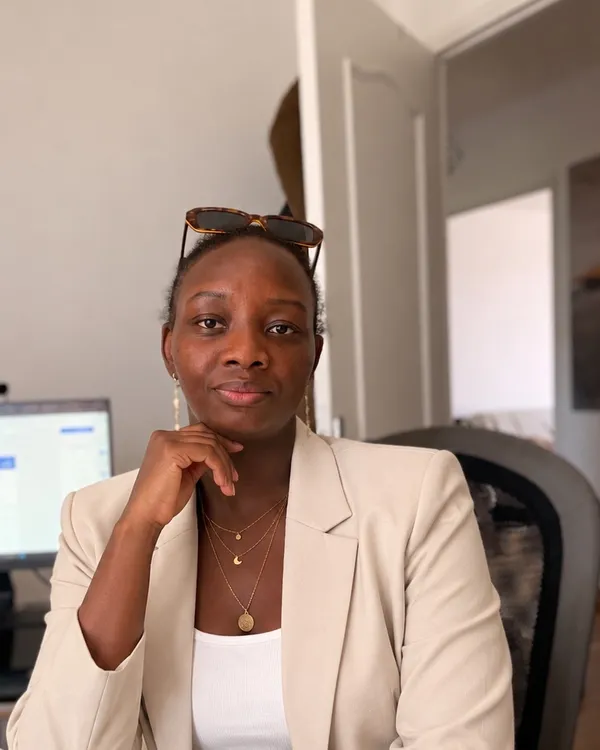
A practitioner first, a trainer second.
I have worked in digital acquisition and marketing for over six years. Day to day, I spend my time inside real ad accounts: building campaigns, analysing results and fixing what does not work.
I have managed ad budgets worth several million euros a year for international brands, and worked on their social media and content too. So what I teach is not theory: it is what I do every day.
Above all, I like explaining things simply. My goal is not to impress you with complicated words, but to make sure you understand and leave able to do it yourself.
- Yves Rocher
- Disneyland Paris
- The Kooples
- Salsa Jeans
- Medicare Portugal
Brands managed agency-side. Logos are the property of their respective owners, listed to illustrate experience, not as an endorsement.
The questions you are probably asking
No. We can do everything with the free version. If you already have the paid version (Canva Pro), great, we will also look at what it adds, but it is not required.
Yes, absolutely. We really start from the basics, at your pace.
Yes. You leave with visuals and templates you can use straight away.
Just a (free) Canva account and an idea of the content you want to create. We do the rest together.
Yes: your own templates, checklists, and a recap to keep going on your own.
Because Canva is learned mostly by doing. Two well-run sessions are enough for you to work on your own, without dragging it out.
Because it is time just for you: two one-to-one sessions, work on your real content, support between sessions and templates built for you.
Want to start making your own content?
You save time, your content is clean and consistent, and you no longer depend on anyone.
- Two 2-hour sessions online
- One-to-one support
- Work on your own content
- Support between sessions
- Templates and checklists
- Recap and a plan to keep going